

Moving a newsletter between platforms sounds scarier than it is. If you want to migrate Substack to beehiiv, the short version is: your free list and your posts can move in an afternoon, and your paid subscribers can move without re-entering their card details — but only if you do the steps in the right order. Do them in the wrong order and you can end up charging readers twice, or publishing paid posts with no paywall.
This guide follows beehiiv’s own help-center instructions for how to migrate Substack to beehiiv (linked at the end, checked November 4, 2026). Steps we could not confirm in official documentation are marked †. We have not run this migration on our own publication yet, so menu labels may differ slightly from what you see.
Disclosure: This article may contain affiliate links. If you buy through them, we may earn a commission at no extra cost to you. It never affects our rankings or verdicts. Learn more →
One more honesty note: as far as we could find, Substack does not run an affiliate program, so we earn nothing if you stay there. We may earn from beehiiv links, and we still list cases below where staying on Substack is the smarter move.
Before you start: should you even switch?
Stay on Substack if most of your growth comes from Substack Notes and in-app recommendations, if your list is small and entirely free (Substack costs $0; beehiiv’s Free plan covers up to 2,500 subscribers and reportedly no longer includes custom domains†), or if you don’t want to manage your own Stripe account.
Switch if Substack’s 10% cut of paid revenue now exceeds what a beehiiv plan costs. Under beehiiv’s pricing renamed October 1, 2026 (Launch → Free, Scale → Lite, Max → Pro), paid subscriptions require Lite, which starts at $59/month (or $49/month billed yearly) at 1,000 subscribers. beehiiv takes 0% of subscription revenue; you pay Stripe’s standard 2.9% + $0.30 per transaction. Under the assumptions in our beehiiv vs Substack comparison, the cost crossover sits at roughly $10,000–$15,000 a year in subscription revenue.
The printable checklist to migrate Substack to beehiiv
Copy this into a doc and check items off as you go.
Before you touch anything
- ☐ Export a full backup from Substack (subscribers CSV plus your content archive) and store it somewhere safe
- ☐ Count your free vs. paid subscribers and note paid tier prices
- ☐ Identify subscribers who pay outside Stripe (Apple/app-store billing, comped, gifted): they cannot move through the Stripe tool
- ☐ Pick a beehiiv plan (Lite or higher if you have paid subs or want a custom domain)
- ☐ Tell readers a move is coming and what your new sender address will be
During the migration
- ☐ Create your beehiiv publication and set the name, logo, and colors
- ☐ Connect Stripe to beehiiv
- ☐ Create at least one paid tier on beehiiv that matches your Substack prices before importing paid posts
- ☐ Import your Substack posts with the content importer
- ☐ Set the paywall again on every post that was paid on Substack
- ☐ Import your free subscriber CSV and clean out bounced and unsubscribed emails first
- ☐ Migrate paid subscriptions with beehiiv’s Stripe-based tool (or contact beehiiv support)
After the migration
- ☐ Pause or cancel paid subscriptions on Substack so nobody is billed twice
- ☐ Point your custom domain (or set up a new one) at beehiiv
- ☐ Publish a “we’ve moved” post on Substack and pin it to your homepage
- ☐ Send a first issue on beehiiv to your most engaged readers before mailing the full list
How to migrate Substack to beehiiv, step by step
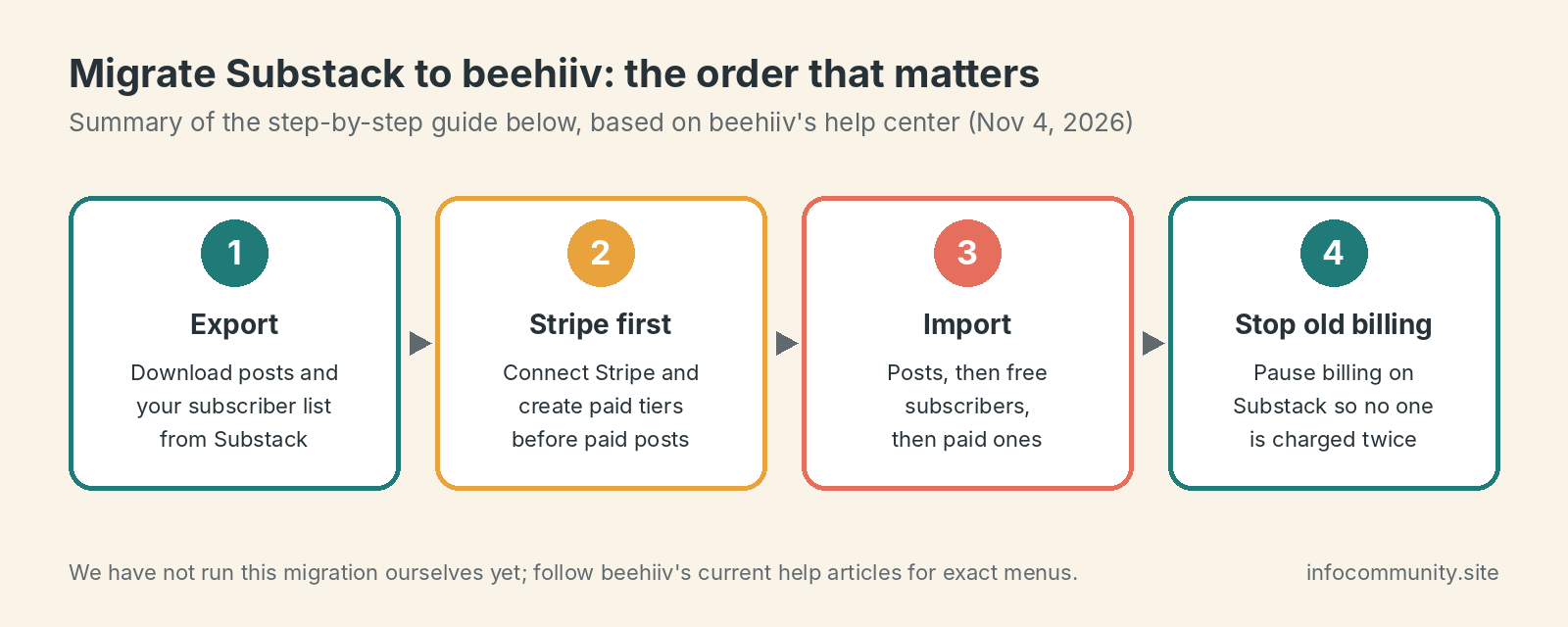
1. Export your data from Substack
Substack lets you export your content and subscriber list, and you should do this even before you’ve fully decided: it is your safety net. In your Substack dashboard, look under Settings for the export option†, request the export, and download the files. beehiiv’s guide asks you to keep the content export zipped†. If anything goes wrong later, this file is your undo button.
2. Set up your beehiiv publication
Sign up at beehiiv and create your publication. Set the publication name, logo, brand colors, and your sender name and email to match what readers already know. An unfamiliar sender name is one of the fastest ways to hurt open rates after a move.
Choose your plan now. If you have any paid subscribers, you need Lite (from $59/month at 1,000 subscribers as of October 2026), because paid subscriptions aren’t available on Free.
3. Connect Stripe and create your paid tiers
If you charge for your newsletter, do this before importing content. beehiiv’s migration guide says that if you have not connected a Stripe account and created at least one paid tier, you need to do that before importing paid posts. Create tiers whose prices match what you charge on Substack, so existing subscriptions have something to be mapped onto.
4. Import your posts
In beehiiv, go to Settings → Content Import and click Start Import, then paste your Substack publication URL and finish the import. beehiiv’s guide says migration usually takes about 5 to 10 minutes, depending on the number of posts, and the status moves from Pending or Processing to Complete. Its content importer currently supports Substack, WordPress, Ghost and Mailchimp.
After the import, spot-check:
- Paywalls. beehiiv’s guide states that the exact paywall placement is not carried over for paid posts, so set the paywall manually on each one before anyone sees them.
- Images and embeds. Check image sizing and any third-party embeds.
- Formatting. Headers and links generally survive; unusual layouts may not†.
5. Import your free subscribers
Clean your subscriber CSV first: remove bounced addresses, people who unsubscribed, and obvious spam traps. Then go to Settings → Subscribers Import in beehiiv and click New Subscribers Import. Importing a dirty list onto a fresh sending domain is the easiest way to land in spam on day one, so don’t skip the cleaning step.
6. Migrate paid subscriptions (the tricky part)
This is the step everyone worries about. beehiiv has a Stripe-based tool for it, described in its “How to import paid subscribers” guide, and its help center says that subscribers who pay outside Stripe cannot move through that tool.
The caveats:
- Comped, gifted and app-store (Apple) subscriptions do not transfer through the Stripe tool. Those readers will need to re-subscribe on beehiiv, or you can comp them and let the old subscription lapse. Email them personally.
- Self-serve or not? We could not confirm that the tool works smoothly for every account, and public migration reports mention needing beehiiv support†. For a paid list, contact beehiiv support before you start and have them confirm your migration end to end. This is your revenue, so don’t wing it.
7. Stop billing on Substack
Once paid subscriptions are confirmed live on beehiiv, pause or cancel paid subscriptions on Substack immediately. beehiiv’s help center says to pause or cancel billing on your previous platform after migrating so members aren’t charged twice. This is the most damaging migration mistake.
8. Set up your domain and redirects
If you used a custom domain on Substack, point it at beehiiv (you’ll need Lite or higher; the Free plan reportedly lost custom domains in the October 2026 pricing change†). Follow beehiiv’s custom domain help article for the DNS records. Old Substack post URLs generally can’t be redirected one-to-one to beehiiv URLs†, so expect to lose some search traffic on individual posts while your new site re-indexes.
9. Announce the move
Publish a pinned “we’ve moved” post on your Substack publication and leave the site up (it’s free). It catches stragglers and anyone following old links. In your first beehiiv issue, tell readers what happened, remind them to whitelist your new sender address, and, if you have a big list, send first to your most engaged segment, then the full list a few days later. That early engagement helps your new sending domain build reputation with inbox providers.
What carries over vs. what breaks
Carries over:
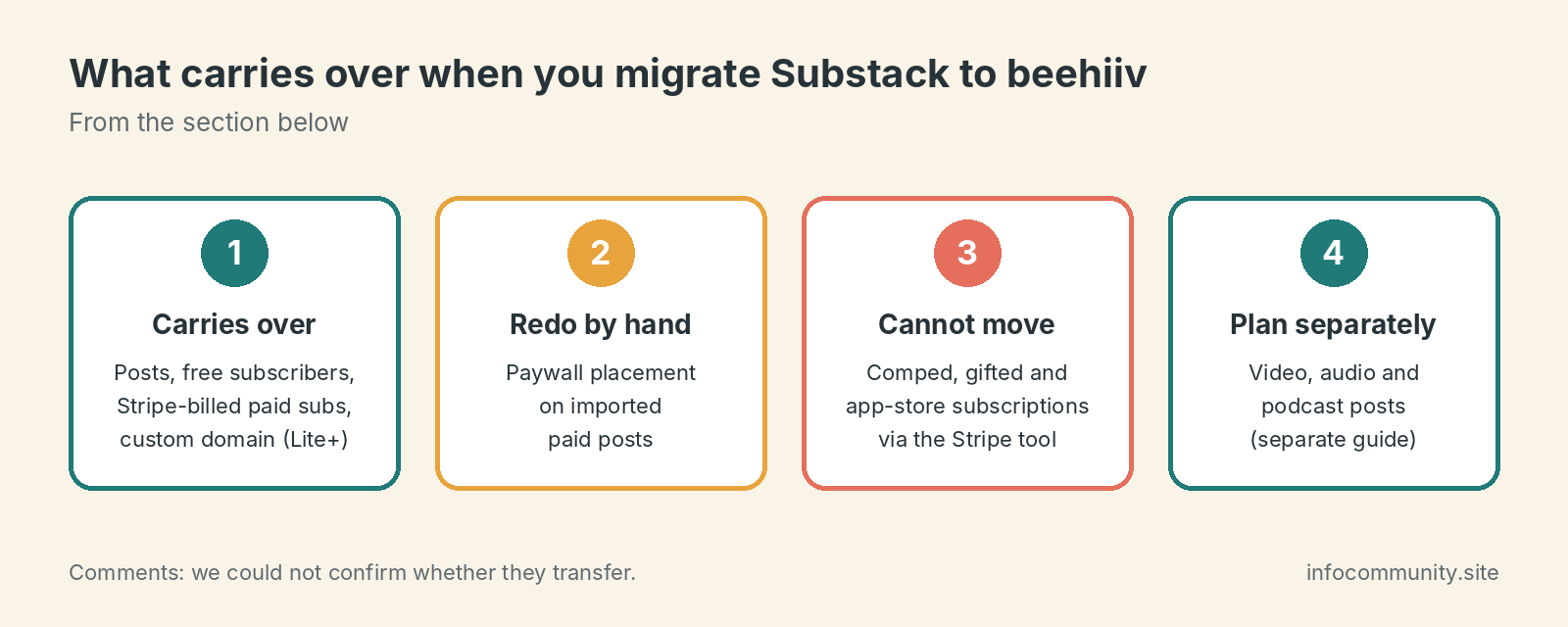
- Your posts, through the content importer
- Your free subscriber list (CSV import)
- Stripe-billed paid subscriptions, through beehiiv’s migration tool
- Your custom domain (on Lite or above)
Breaks or doesn’t come along:
- Paywall placement on imported paid posts. You set it again by hand.
- Comped, gifted and app-store subscriptions. They cannot use the Stripe tool.
- Video, audio and podcast posts. beehiiv has a separate guide for migrating these, “Ways to migrate audio and video posts from Substack to beehiiv”. If you run a podcast, plan the RSS feed move separately.
- Comments. We could not confirm that they transfer, so assume they stay on Substack†.
- Substack’s discovery network. Notes, in-app recommendations and the Substack app audience don’t transfer. If those drive your growth, expect slower subscriber acquisition for a while.
- Old post URLs and their search traffic†.
FAQ
How long does it take to migrate Substack to beehiiv?
beehiiv’s help center says the post import usually takes 5 to 10 minutes, and its marketing page says the whole process can take under an hour. Budget an afternoon for a free list, and a few days with support involved if you have paid subscribers.
Will my paid subscribers be charged twice?
Only if you forget to pause or cancel billing on Substack after the move. beehiiv’s help center tells you to do that once the migration is confirmed.
Do I need Stripe set up before importing?
For paid content, yes: beehiiv’s guide says to connect Stripe and create at least one paid tier before importing paid posts.
Can I try the import before paying?
We could not confirm which plan includes the content importer, so check beehiiv’s current plan page or ask its support before you commit†.
Keep reading:
† Price or detail reported by third-party trackers or guides, or not confirmed in the vendor’s official documentation. Confirm on the vendor’s live page before you act.
Sources and method
Migration steps on this page come from beehiiv’s own help center, listed below, checked November 4, 2026. Prices come from the third-party sources listed. We have not yet run this migration ourselves; where we do, we will say so and show screenshots.
- beehiiv.com, How to migrate from Substack to beehiiv (accessed 2026-11-04)
- beehiiv.com, How to import previous content (accessed 2026-11-04)
- beehiiv.com, paid subscription migration and billing guidance (accessed 2026-11-04)
- beehiiv.com, October 2026 pricing announcement (accessed 2026-10-29)
- ppc.land, citing The Verge (accessed 2026-10-25)
- emailtooltester.com (accessed 2026-10-25)